
ZArchiver v1.0.10 Download for Android (Latest)
 Share
Share  Embed
Embed 


-
![]() 199
199 -
![]() 6
6 -
![]() 0
0
 199
199  6
6 

Downloading not started? Refresh page
FAQ'S
Open Google Play app > Click Profile Icon > Select Play Protect -> Setting > Turn off both "Scan apps with Play Protect" and "Improve harmful app detection" options.
Do you have compressed files on your phone? ZArchiver can help you manage them. It doesn’t matter if you want to open the file and look at what’s inside or compress large files so there is more space; ZArchiver will do it in a few seconds.
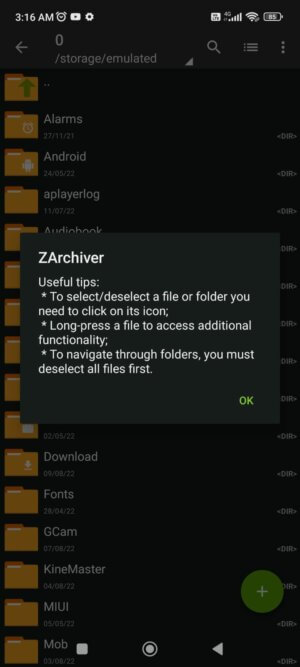
ZArchiver Apk is a special program designed especially for managing multiple types of archives. It is a kind of archives manager that lets you create and extract almost all types of archive file formats. It also lets you extract a specific part of a file, so you don’t have to extract the whole file if not necessary. This app can also let you extract multi-volume and encrypted archive files.
ZArchiver can help you create or open compressed files of any of the following formats like 7z (7zip), zip, bzip2 (bz2), gzip (gz), XZ, tar. ZArchiver can also let you open password-protected compressed files easily and access the content of those files. (only if you already know the password.)
Features of ZArchiver Apk:
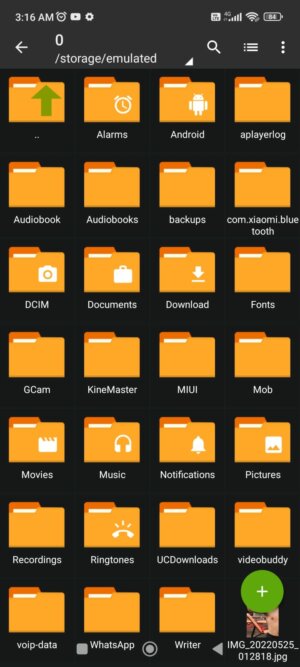
- Create compressed files: ZArchiver lets you create compressed files of formats such as 7z (7zip), zip, bzip2 (bz2), gzip (gz), XZ, lz4, tar, zst (zstd).
- Decompression files: ZArchiver lets you decompress files of formats such as 7z (7zip), zip, rar, rar5, bzip2, gzip, XZ, iso, tar, arj, cab, lzh, lha, lzma, xar, tgz, tbz, Z, deb, rpm, zipx, mtz, chm, dmg, cpio, cramfs, img (fat, ntfs, ubf), wim, ecm, lzip, zst (zstd), egg, alz.
- You can create and decompress archive files with password protection using ZArchiver Apk.
- Edit archives: ZArchiver Apk lets you add or remove files to or from the archive (zip, 7zip, tar, apk, mtz) formats.
- Create and decompress multi-part archives: you can decompress files in 7z, rar formats.
- Partial archive decompression can also be done using ZArchiver Apk.
- With ZArchiver Apk, you can open archive files from the email application directly.
- Extract split archives: ZArchiver Apk lets you extract split archives from formats like 7z, zip and rar (7z.001, zip.001, part1.rar, z01).
- Supposed on all the android devices above Android 9.
- ZArchiver also has Multithreading support which is useful for multicore processors.
- ZArchiver also provides UTF-8/UTF-16 support for file names that allows you to use national symbols in filenames.
- Simple and convenient interface: ZArchiver Apk has a simple interface that makes it easy for anyone to use the app easily.
Frequently Asked Questions
Is the ZArchiver app safe to download?
Yes, this app is 100% safe for your device. This app is also approved by the google play store as a safe app.
Does this app work on iOS Devices?
No, This app only archive and compress the files from Android devices. This is unavailable for iOS devices.
Can the archives encrypted by the ZArchiver app be opened by other similar apps?
The encryption on ZArchiver is unique and cannot be found in other archive apps; that’s why archived files cannot be opened from apps other than the ZArchiever apk.
Conclusion:
ZArchiver is a file manager application for all kinds of compressed file formats. It is a must-have app if you use these kinds of files more often. This app lets you create and extract multiple formats of archives. It is simple, efficient and quick. Download the app now and enjoy!

Other versions:

App Gallery











3.webp)














7.webp)

5.webp)








9.webp)





7.webp)





8.webp)

